CoachSync vs Google Sheets
The starting point you've outgrown
How they compare
It Works Until It Doesn’t
Google Sheets is where most coaches start. Free, flexible, familiar. One tab per client, columns for exercises, sets, and reps, maybe a formula that tracks estimated maxes. At five clients, it works. At ten, it’s annoying. At twenty, the spreadsheet is a second job.
Copying templates. Updating formulas. Checking for errors in cells that shifted during a paste. Fixing the tab where a client accidentally deleted a row. These tasks compound. The time spent managing the spreadsheet is time not spent coaching — and it only gets worse as the roster grows.
No Communication Layer
Sheets has no messaging. No notifications. No way for a client to interact with their programming. The workout lives in one place, the conversation about the workout lives in text messages, email, WhatsApp, or Instagram DMs. The coach stitches it all together manually.
CoachSync puts the programming, the messaging, and the form check video in the same place. A client has a question about their workout — the conversation happens next to the program. No screenshots. No “which spreadsheet was that in?” No digging through DMs from three days ago.
Progress Tracking You Build Yourself
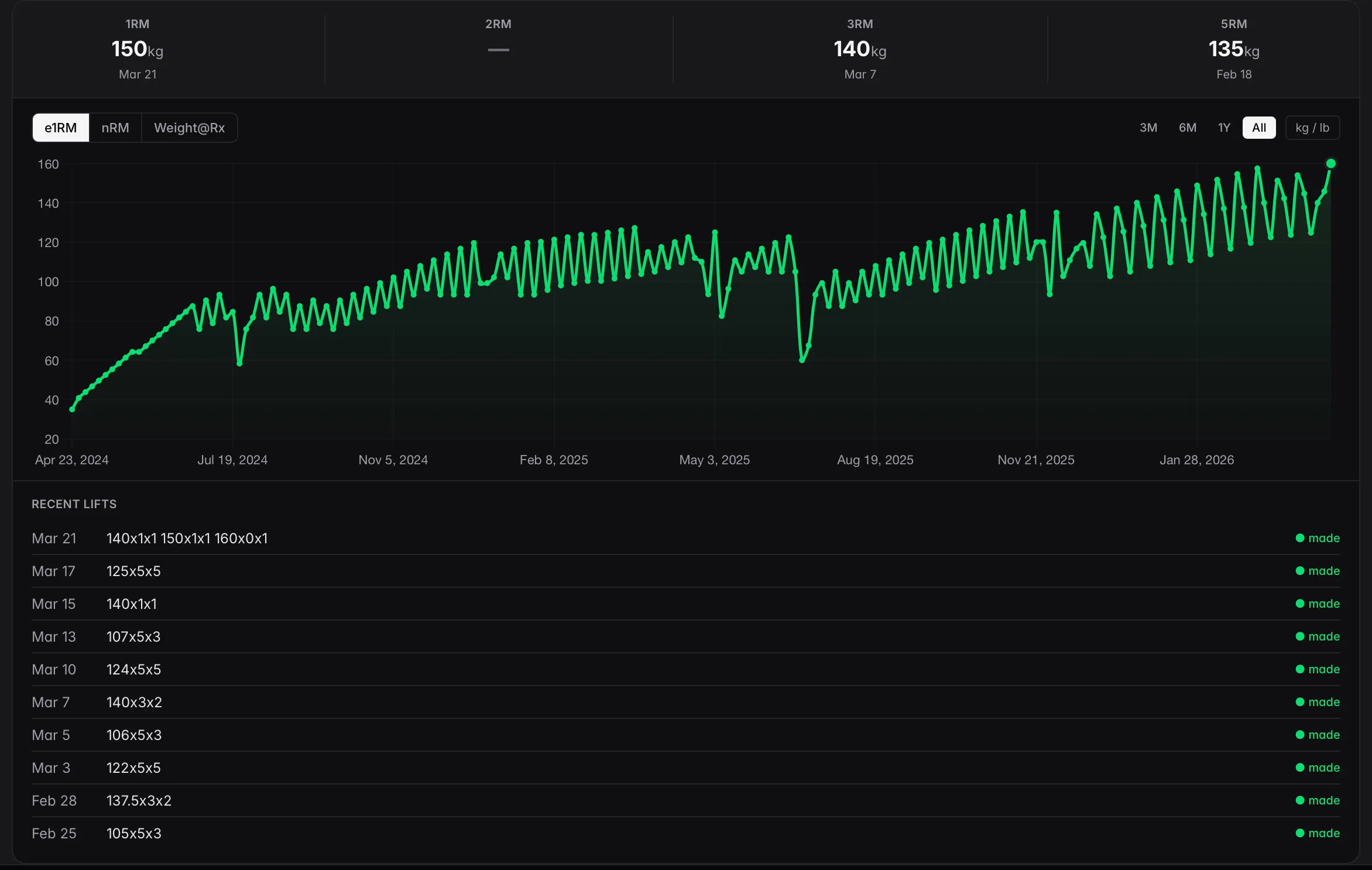
Tracking progress in Sheets is possible. A coach can write formulas for estimated one-rep maxes, build charts to visualize trends, create summary dashboards. Some coaches build genuinely impressive systems this way. The problem: every formula, every chart, and every dashboard is something the coach built, maintains, and debugs when it breaks.
Nobody became a strength coach to write VLOOKUPs. CoachSync tracks every working set and calculates estimated 1RMs automatically. Progression charts update without intervention. The data entry that happens during normal coaching — logging sets and weights — feeds directly into the tracking system. No formula maintenance. No debugging.
The Template Trap
Here’s what happens to every coach who gets good at Google Sheets: the template gets more sophisticated. Conditional formatting. Data validation. Cross-sheet references. Pivot tables. The spreadsheet becomes a product.
Then the template needs to propagate to every client’s copy. A broken formula in one sheet goes unnoticed for weeks. A client accidentally edits a cell and the whole thing breaks. There is no version control. There is no undo.
The more capable the template, the more fragile it becomes and the more time it takes to maintain. That’s the trap. CoachSync eliminates the entire category of work. When the software improves, every coach and every client gets the update simultaneously. No propagation. No broken formulas. No templates.
What CoachSync looks like

What you'll pay
- Starter: $29/mo (up to 5 clients)
- Pro: $59/mo (unlimited clients)
- All features included in both plans
Ready to switch?
Start your 14-day free trial.