Move a subscription to CoachSync
Put a subscription you made in Stripe, or one another platform made there, on CoachSync billing, with the same card, amount and renewal day.
Some members may pay through a subscription that CoachSync did not start. You made it in your Stripe Dashboard, or another platform, such as MemberPress, made it in your Stripe account. Move to CoachSync replaces it with a subscription that CoachSync bills.
The member keeps the same card, the same amount and the same renewal day. Their current subscription ends at the end of its period, and the CoachSync one charges the same card that day. The member pays once on that day, as before.
Which subscriptions you can move
A subscription made outside CoachSync shows on Subscriptions when its Stripe customer has the same email as someone in your account. Stripe reports a subscription to CoachSync when it starts or changes, a renewal included. If one is missing, contact support.
Move to CoachSync is in the three-dot menu of each subscription that CoachSync does not bill.
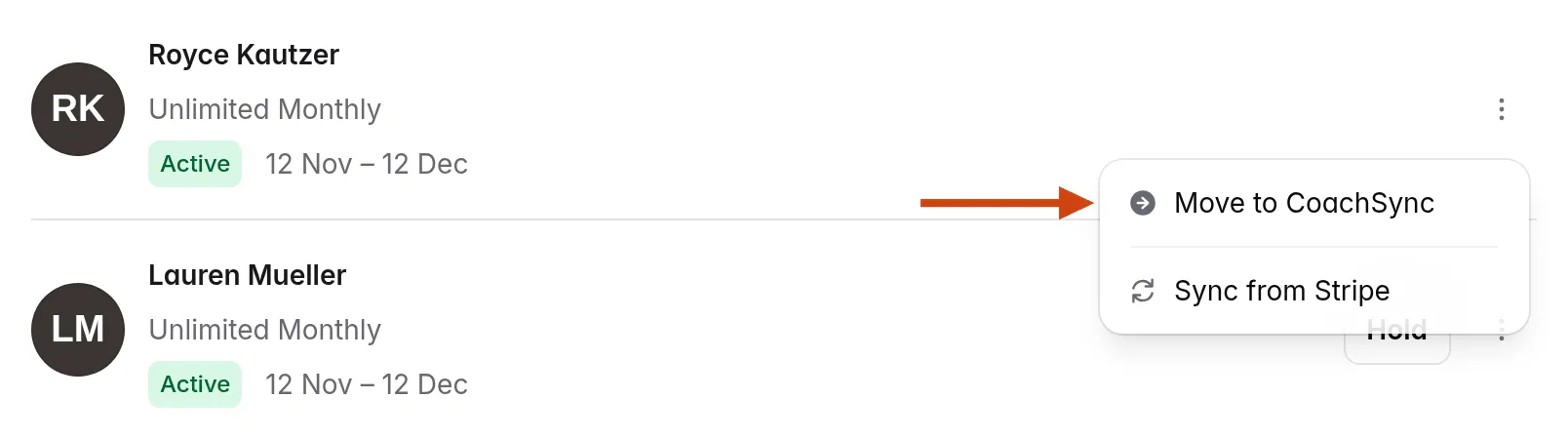
Move to CoachSync does not show for these subscriptions:
- A subscription on hold. Resume it first.
- A subscription you made in Stripe that you or the member set to cancel.
If Stripe shows one of these when you select Move to CoachSync, CoachSync returns you to Subscriptions and says that the subscription “is on hold. Resume it first.” or “is set to cancel.”
Move a subscription you made in Stripe
- Select CoachSync at the top of any page to open the menu.
- Under Payments, select Subscriptions.
- Open the three-dot menu on the member’s row and select Move to CoachSync.
- Check Starts and CoachSync fee. Starts is the day the current period ends.
- Select Move to CoachSync.
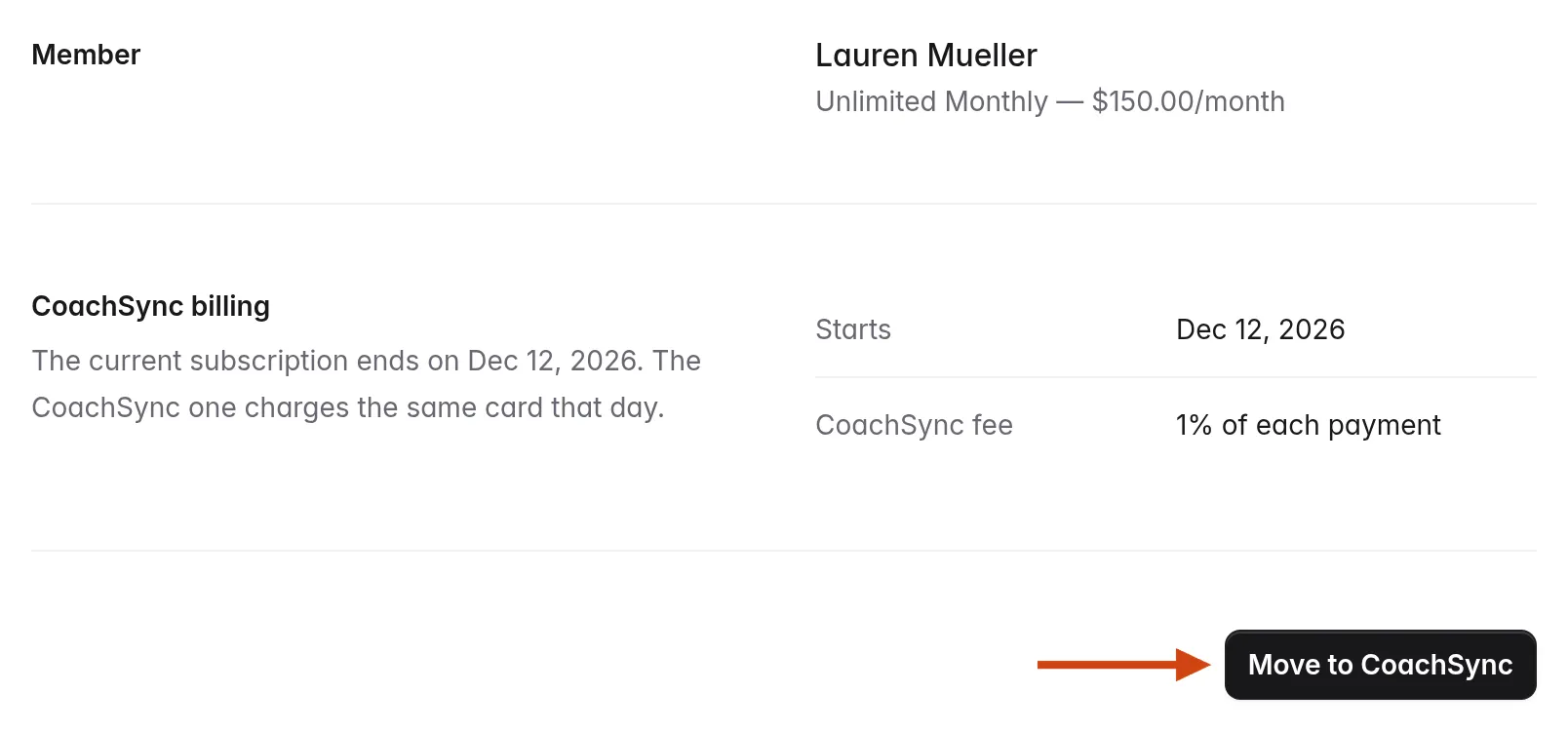
Subscriptions opens and says that the member’s subscription moves to CoachSync.
Move a subscription another platform made
Stripe does not let CoachSync change a subscription that another platform made. So you cancel it yourself in your Stripe Dashboard, then start CoachSync billing. The page numbers these two steps.
- Select CoachSync at the top of any page to open the menu.
- Under Payments, select Subscriptions.
- Open the three-dot menu on the member’s row and select Move to CoachSync.
- Under 1. Cancel in Stripe, select Open in Stripe. The subscription opens in your Stripe Dashboard.
- In Stripe, cancel the subscription at the end of the current period.
- Back in CoachSync, under 2. Start CoachSync billing, check Starts and CoachSync fee.
- Select Start CoachSync Billing.
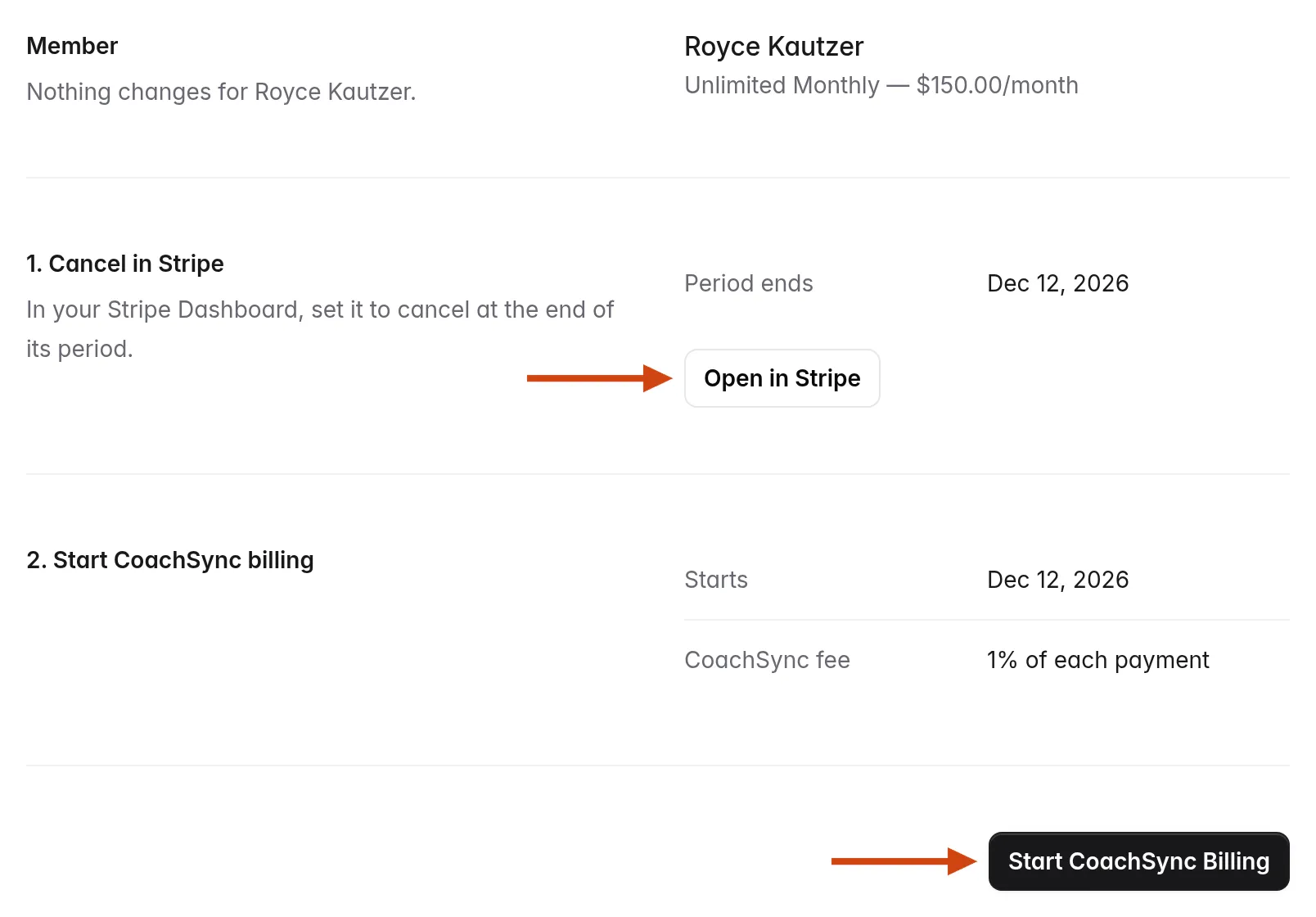
If Stripe does not show the cancellation yet, CoachSync says “Stripe doesn’t show it ending yet.” Check the subscription in Stripe, then select Start CoachSync Billing again.
What happens during a move
Until the current period ends, Subscriptions lists two rows for the member:
- The CoachSync subscription shows Billing starts and the date.
- The current subscription shows Moves to CoachSync and the same date.
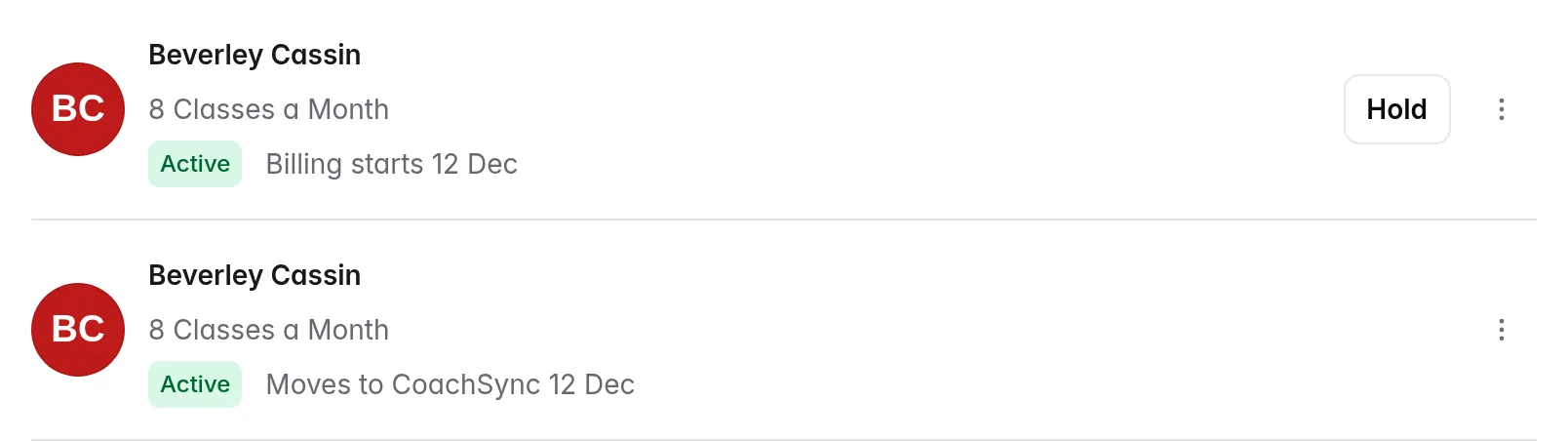
On that date, the current subscription ends and shows Canceled. The CoachSync subscription charges the card, then renews on the same day each period.
The member’s class access continues without a break. Their membership passes to the CoachSync subscription when the current one ends.
CoachSync sends the member no email or notification about the move, and sends nothing to Kit.
The CoachSync subscription carries CoachSync’s 1% fee on each payment. The move page shows it as CoachSync fee. See Payment fees.
Subscriptions another platform made
Stripe refuses changes from CoachSync to a subscription that another platform made. On its row, Subscriptions shows no Hold, Resume, Change plan or Cancel at period end. Move to CoachSync takes their place. After the move, you manage the CoachSync subscription like any other. See Pause, change or cancel a membership.
Get help
If something on this page does not match what you see, contact support.