Parents and children
See how a parent or guardian signs for a participant under 18, now or from an emailed link, and how the child adds their own signature.
When a participant is under 18 on the day they sign, a parent or guardian signs the waiver for them. The parent’s signature is what makes the waiver valid. The child can add their own signature to confirm they read it.
How the signing page spots a minor
The signing page works it out from the date of birth. When the date of birth puts the participant under 18, the Parent or guardian section appears, with two choices. The parent or guardian clause from your waiver settings appears for the parent to read and sign.
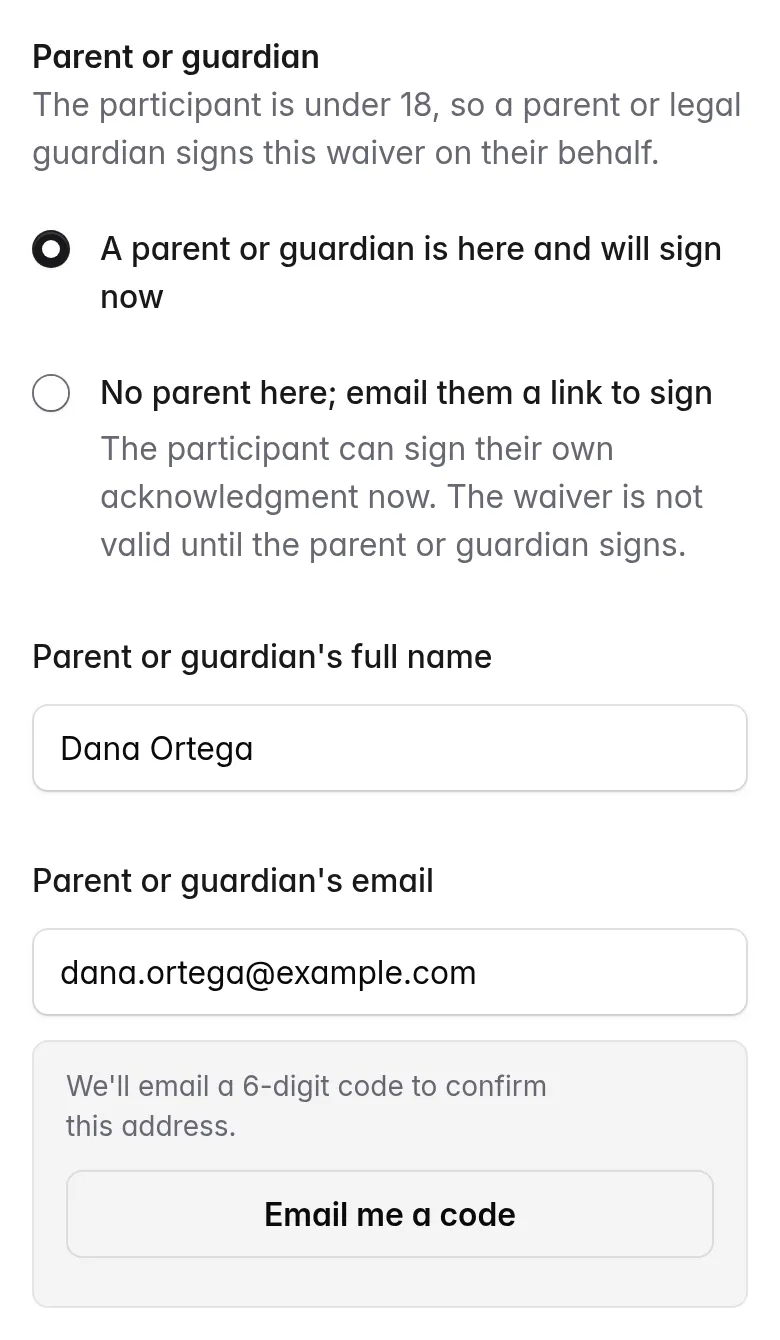
A parent is there to sign
- Fill in the participant’s Full name, Email address and Date of birth.
- Under Parent or guardian, choose A parent or guardian is here and will sign now.
- Enter the Parent or guardian’s full name and Parent or guardian’s email.
- Select Email me a code and enter the code sent to the parent’s email. Someone signing in person with a staff witness skips this step.
- Enter the Relationship to participant.
- The parent reads the clause and signs in Parent or guardian’s signature.
- Tick the agreement box and select Agree and sign.
The waiver is valid at once. CoachSync emails the signed copy to the participant’s and the parent’s email addresses.
No parent is there
- Fill in the participant’s Full name, Email address and Date of birth.
- Under Parent or guardian, choose No parent here; email them a link to sign.
- Enter the Parent or guardian’s full name and Parent or guardian’s email.
- Under the participant’s Email address, select Email me a code and enter the code sent there. A participant who opened a waiver link you sent them skips this step.
- The participant signs in Participant’s signature.
- Tick the agreement box and select Agree and sign.
CoachSync emails the parent a link to sign. The parent’s link works for 90 days.
Until the parent signs, the waiver is not valid. It shows Awaiting guardian in your Waivers list, and the client’s page shows a red badge.
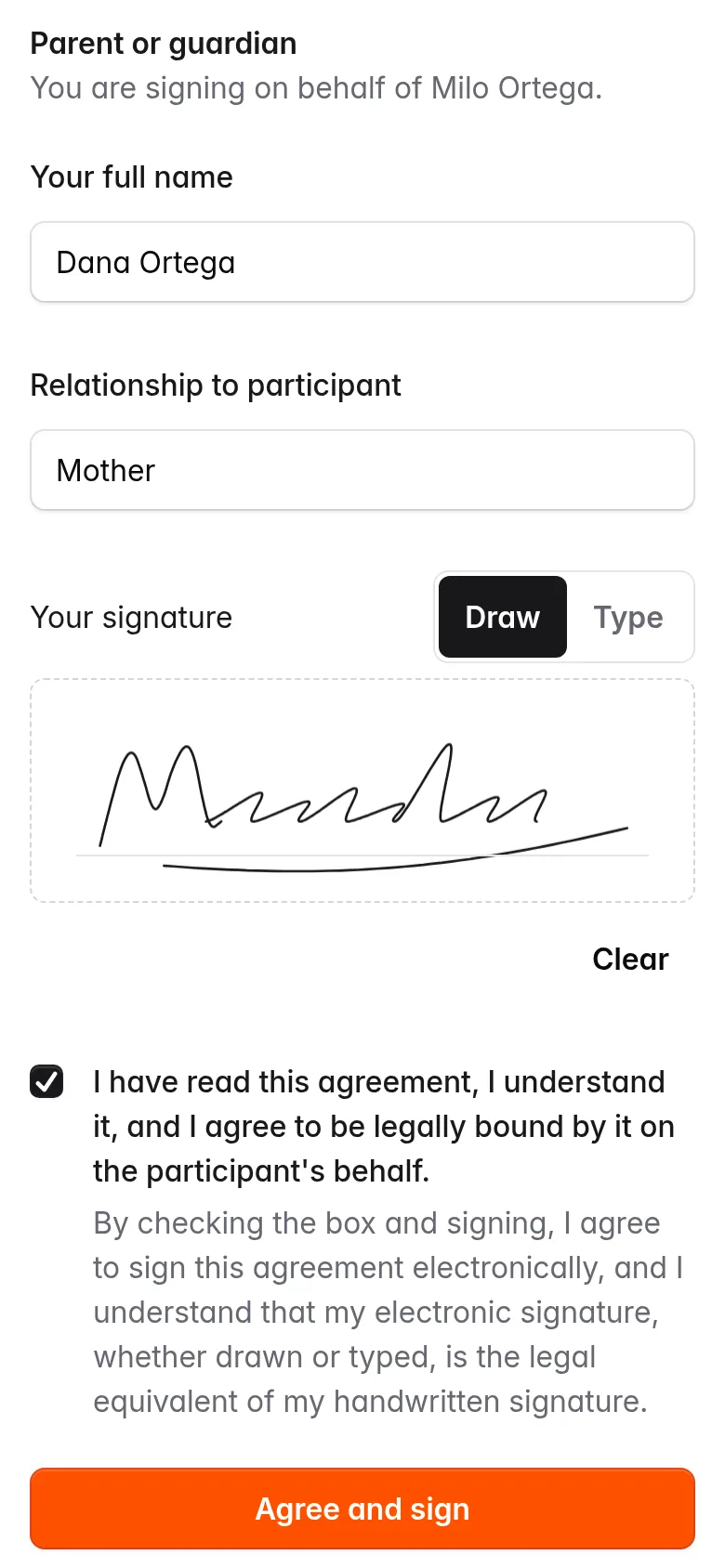
The parent’s link opens the waiver with “Waiting for a parent or guardian to sign.” The parent checks Your full name, enters Relationship to participant, then signs in Your signature. They tick the agreement box and select Agree and sign. Only the emailed link opens the parent’s signature box.
Remind a parent
- On the client’s page, select Remind next to the waiver badge.
- Or, under Management, select Waivers, open the waiver, and choose Remind in the menu at the top right. The item shows the parent’s email address.
CoachSync emails the parent the signing link again. If the child books a session type or class that asks for a waiver, the parent gets the link again too.
The child’s own signature
After the parent signs, the child can add their signature:
- On the same phone or tablet, within an hour of the parent signing, the page shows the child’s acknowledgment. The child signs, ticks the box and selects Sign now.
- Or, below that, the parent enters the child’s email address and selects Send link. CoachSync emails the child a link to sign, which works for 90 days.
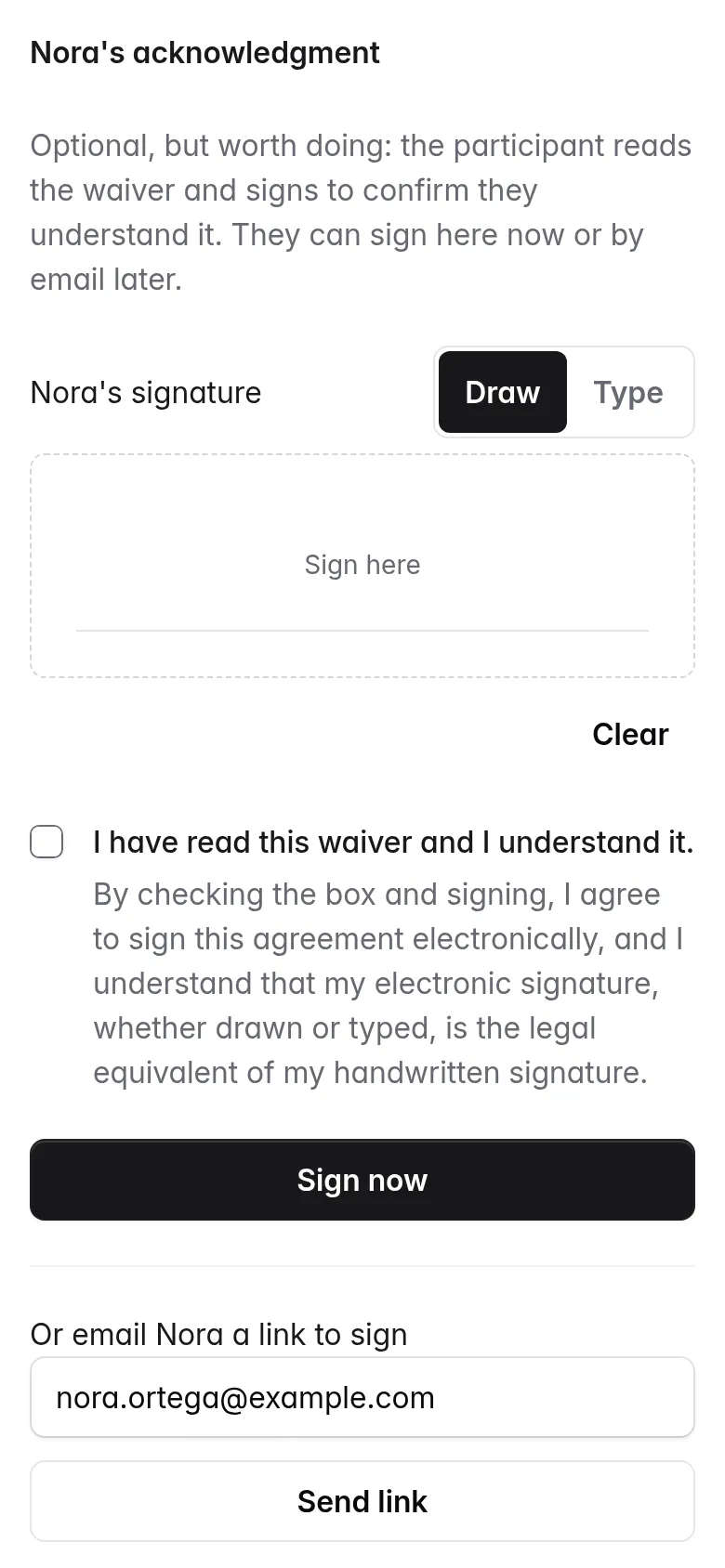
The child’s signature is optional unless you tick Ask minors to sign their own acknowledgment in your waiver settings. With it ticked, the waiver shows Signed · child’s acknowledgment pending until the child signs. Remind in the waiver’s menu then emails the child a link to sign. Either way, the parent’s signature makes the waiver valid.
If the participant and the parent gave the same email address, the waiver never waits for the child’s signature, and the page has no Send link.
When the child signs after the waiver was completed, CoachSync makes the PDF again with both signatures. It does not email the new PDF. See Signed copies.
Sign for another child
After signing, the parent sees Sign for another child. It opens a new waiver with the parent’s name, email, relationship and signature filled in, so they enter only the next child’s details. This works for 2 hours after the parent signs, with no new email code.
When a child turns 18
A waiver a parent signed stays on file. Once the participant turns 18, their client page shows Waiver signed as a minor, with Send waiver so they can sign as an adult. If they book a session type or class that asks for a waiver, CoachSync sends them the signing link.
Get help
If something on this page does not match what you see, contact support.