Add sessions to your calendar
Subscribe to your CoachSync calendar feed so booked sessions and classes show in Apple Calendar, Google Calendar or any calendar app.
Your calendar feed is a private web address that lists your booked sessions and classes. Subscribe to it in your calendar app, and your CoachSync bookings show next to the rest of your week.
Get your feed address
- Open Coach Calendar from the menu.
- Scroll to Calendar Feed at the bottom of the page.
- Select Generate Feed URL.
- Select Copy next to the address.
- In your calendar app, add a calendar by its URL and paste the address.
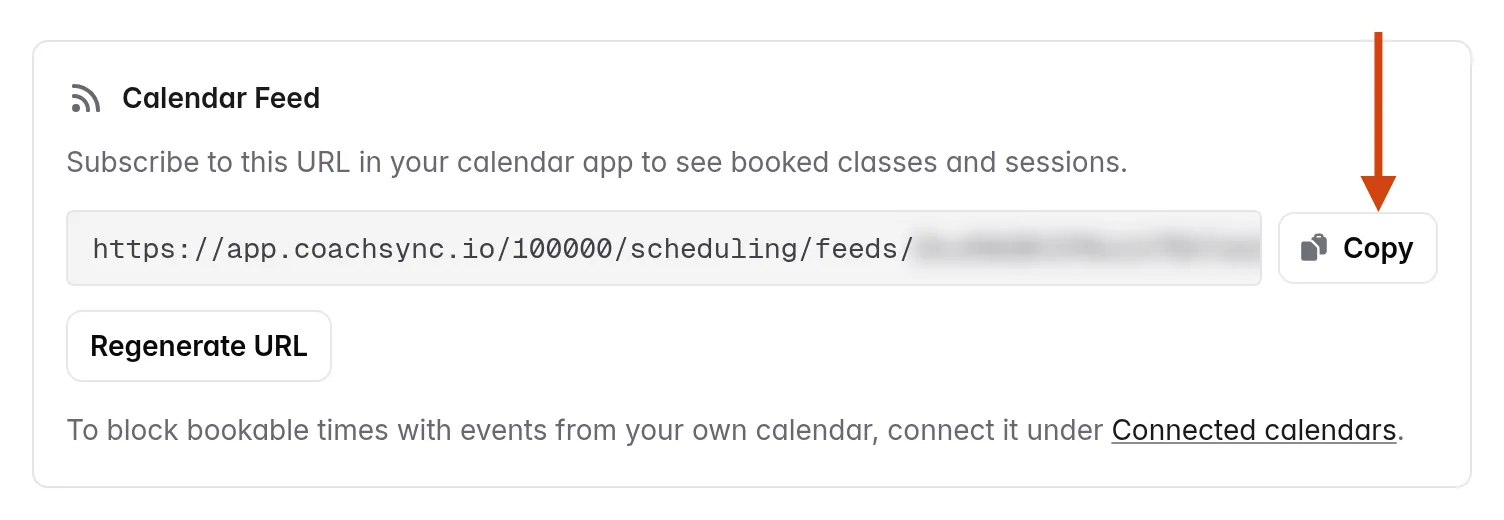
Each coach has their own feed address.
What the feed holds
- Your booked 1:1 sessions. An owner’s or admin’s feed holds every coach’s sessions.
- Booked classes across the whole account. Each booked place in a class is its own event, named for the person, the class and the coach.
- Bookings from 30 days ago to 90 days ahead.
Each session event is named for the client and the session type, such as “Alex Kim: Personal Training”. The event links to the session’s page in CoachSync. Cancelled sessions and cancelled class bookings drop out of the feed.
Keep the address private
Anyone who has the address can see the bookings in it without signing in. If you shared it by mistake, make a new one.
- Open Coach Calendar and scroll to Calendar Feed.
- Select Regenerate URL, then confirm.
- Copy the new address and subscribe to it in your calendar app.
Get help
If something on this page does not match what you see, contact support.