Booking emails and reminders
See which emails CoachSync sends when a session or class is booked, moved or cancelled, and set the reminders that go out before it starts.
CoachSync emails the person booked each time their session or class is booked, rescheduled or cancelled, and again before it starts. Coaches get an email when someone else changes one of their 1:1 sessions. You choose when the reminders go out. The other emails go out for every booking.
The emails show your business name as the sender.
Emails about 1:1 sessions
The person booked gets these emails, whoever made the change:
| When | Subject |
|---|---|
| The session is booked | Your <session type> at <business> is booked |
| The session is rescheduled | Your <session type> at <business> was rescheduled |
| The session is cancelled | Your <session type> at <business> is cancelled |
| A reminder is due | Reminder: <session type> at <business>, <time> |
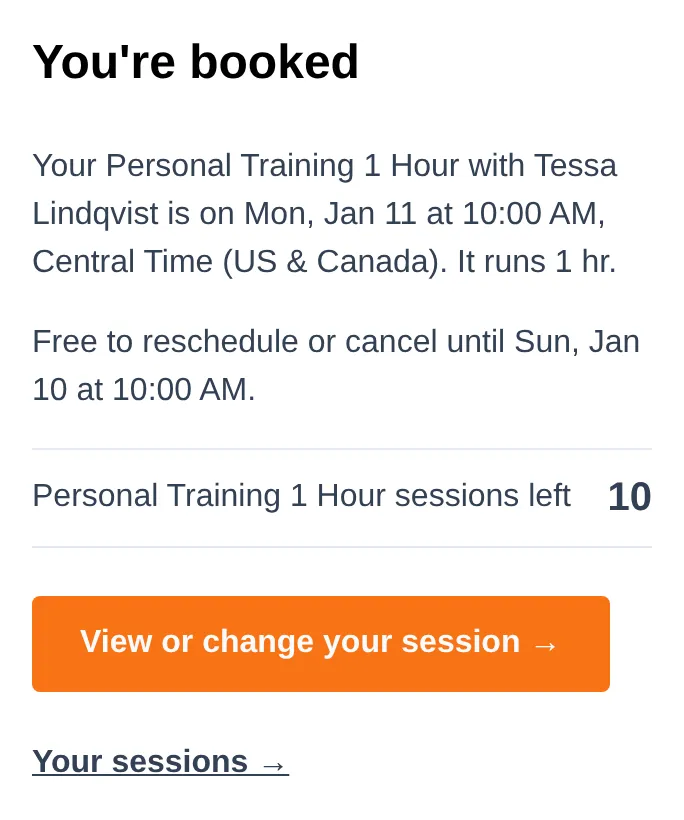
Each email gives the time and time zone, the coach, and where the session happens. Depending on the email, it also has:
- a calendar invite for the session, which the cancellation email replaces with a cancelled event
- a button to view or change the session without signing in
- the deadline to reschedule, while it is still ahead
- a link to all of the person’s sessions, and how many credits they have left for that session type
- the amount still due, when the session is not paid for yet
The cancellation email says whether the credit came back, or that a refund is on its way.
What the coach gets
The session’s coach gets an email when someone else books, reschedules or cancels one of their sessions. That someone can be the client, another staff member, or a person using a booking link. The subject starts with Session booked:, Session rescheduled: or Session cancelled:, then names the session type, the client and the time. The email has a button that opens the session in CoachSync.
The coach gets no email when they make the change themselves. Coaches get no reminder emails.
The client and the coach also get a notification inside CoachSync, unless they made the change themselves.
Weekly sessions
A weekly series sends one email for the whole series. It lists every session with its own link, and any week that was not booked. Ending a series also sends one email, which lists the sessions it cancelled. The coach gets the same emails when someone else booked or ended the series.
Other session emails
- If the session type has Ask for a signed waiver ticked, a person with no signed waiver on file gets the waiver to sign. See Collect signatures.
- If a payment comes through after the held time went to someone else, the person gets an email asking them to pick a new time. The session is already paid for. To send that email again, select Send booking link on the person’s item under Paid sessions without a time on Today.
- To remind someone to pay for a session, select Send reminder on the session’s item under Unpaid sessions and class spots on Today. The subject starts with
Payment due:, then names the session type, your business and the time. The email gives the amount due, with a button to pay or to view the session. See See your day on Today.
Emails about classes
The person booked gets these emails about a class:
| When | Subject |
|---|---|
| The booking is confirmed | Booking Confirmed: <class> |
| The booking is cancelled | Booking Cancelled: <class> |
| You cancel the class on a date | Class Cancelled: <class> on <date> |
| A reminder is due | Class Reminder: <class> on <date> |
| A card payment arrives after the class filled | Class Full: <class> on <date> |
| You send a payment reminder for a spot paid at the door | Payment due: <class> at <business>, <date and time> |
The confirmation and both cancellation emails carry a calendar invite. The confirmation and reminder emails link to a page where the person can view or change the booking. Moving a class booking to another date sends a cancellation for the old date and a confirmation for the new one.
The Class Full email tells the person they are not booked, and links to a page where they move the payment to another date. See Book a class as a member. You send a payment reminder with Send reminder on Today.
Coaches get a notification inside CoachSync for class bookings, not an email. See Class roster.
Set the reminders
Reminders belong to a session type or a class type. Each reminder emails the person booked a set time before the start.
- Open Appointment Types from the menu.
- Select the pencil button next to the type.
- Under Reminders, enter how long before the start in the first box, and choose days, hours or minutes.
- To add another, select Add a reminder. To remove one, select its trash button.
- Select Save changes.
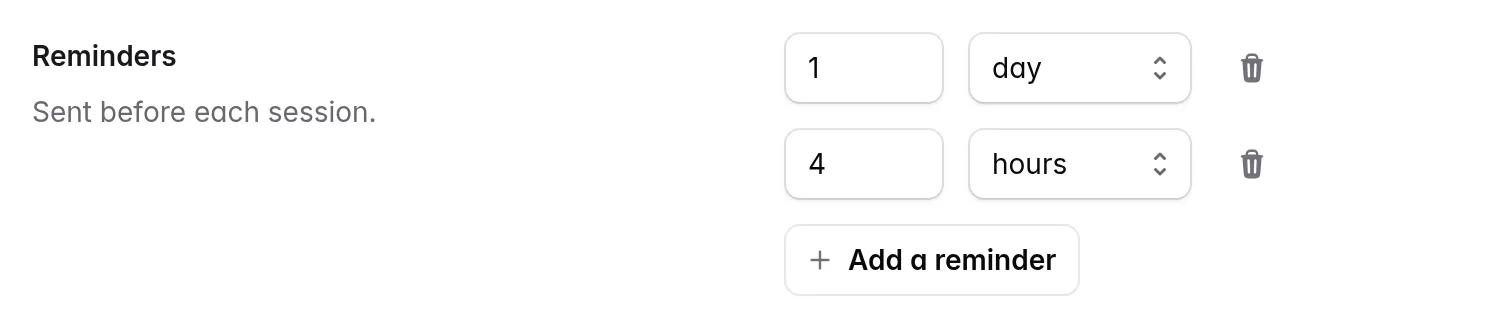
A new 1:1 session type starts with two reminders, 1 day and 4 hours before. A new class type starts with none.
When a reminder is skipped
- A booking made after a reminder’s send time does not get that reminder. A session booked 2 hours ahead gets neither the 1-day nor the 4-hour reminder.
- A new or changed reminder applies to send times after you save it.
- A cancelled session or class gets no reminder.
- A session held for payment gets no reminder until it is paid. A session booked without a credit still gets its reminders, with the amount due.
- A rescheduled session gets its reminders again for its new time, except reminders whose send time had passed when it was moved.
Get help
If something on this page does not match what you see, contact support.