Book a session as a client
How your clients book, pay for and repeat 1:1 sessions when they are signed in to CoachSync.
Clients who sign in to CoachSync book their own 1:1 sessions. They see only the open times inside your coaches’ hours, after your booking rules, time off and other bookings are taken out. People without an account book from your public booking pages instead. See What a new client sees.
Book a session
- Open Book a Session from the menu. You can also select Book a session on My Bookings.
- Under Choose a session, select Choose next to the session type.
- If CoachSync asks Choose where, pick a location.
- If CoachSync asks Choose a coach, pick a coach, or Any available coach to see every open time.
- Under Choose a time, tap a time.
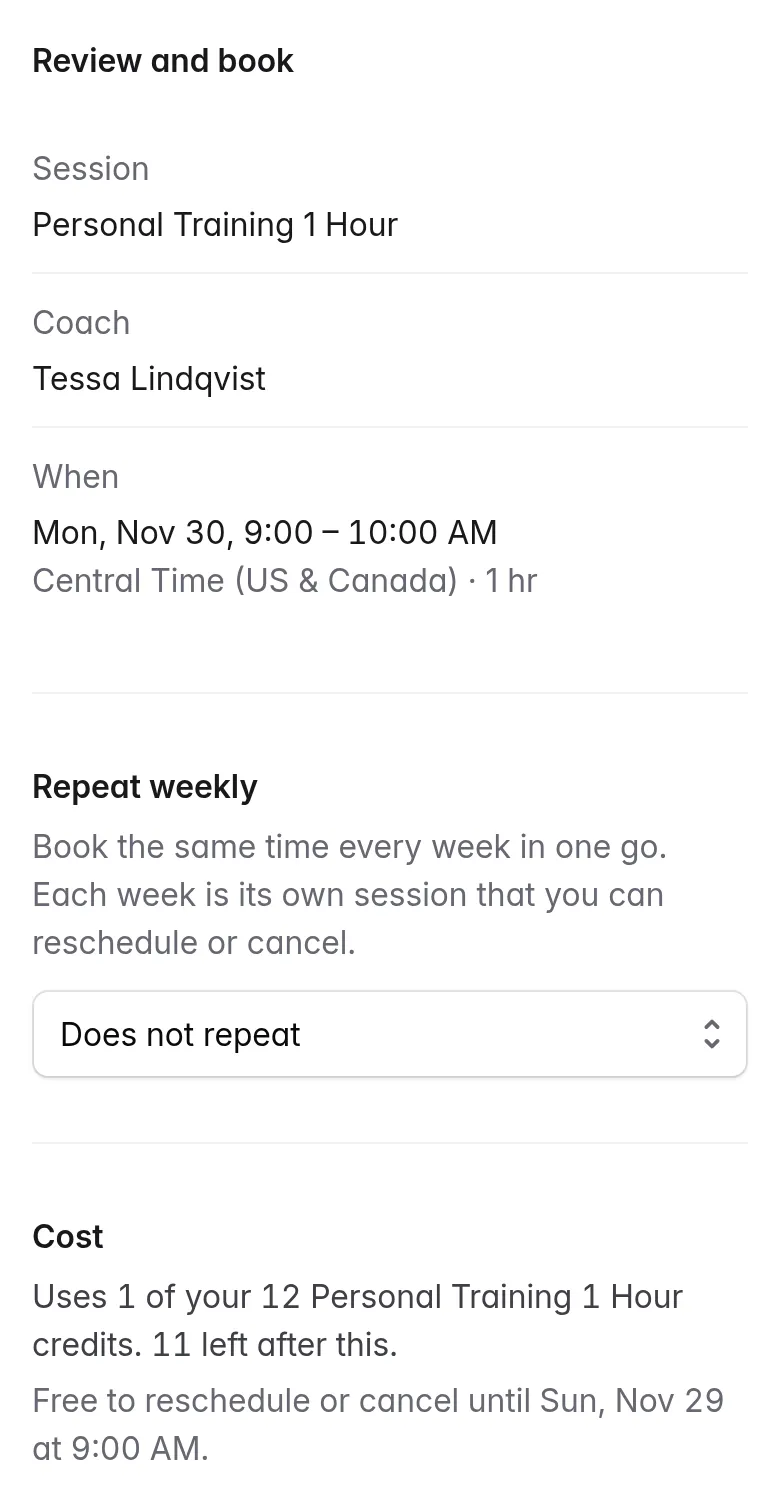
- On Review and book, check the session, coach and time. Tick any add-ons.
- Select Book session. When the client pays by card, the button reads Continue to payment.
The session’s page opens with the message “Session booked.” CoachSync emails the client a confirmation with a calendar invite.
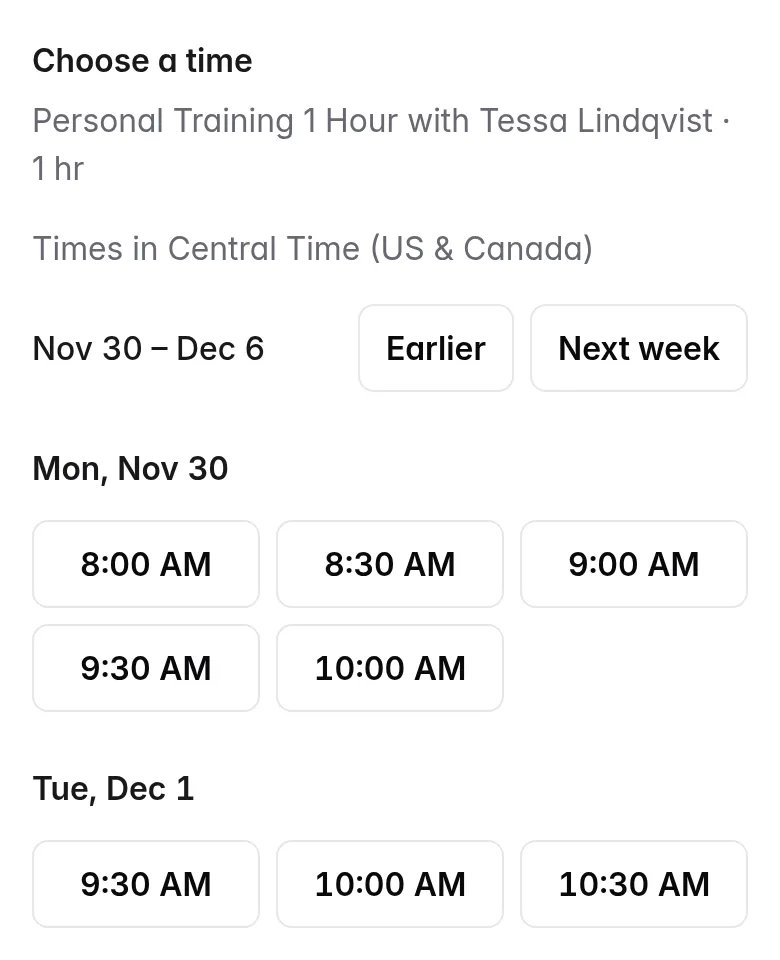
CoachSync skips a step when there is nothing to choose. A client sees Choose where only when the type has hours at more than one location, and Choose a coach only when more than one coach offers it. The client’s own coach is marked Your coach.
How the client pays
The Cost line on the review step says how the session is paid:
- A free session type shows “No charge.”
- A client with credits for the type sees how many the booking uses, such as “Uses 1 of your 12 Personal Training credits. 11 left after this.”
- A client without a credit pays the price by card on the next screen when Stripe is connected. CoachSync holds the time for 15 minutes while they pay.
If the client has no credit and you do not take card payments, the type shows Get credits in place of Choose. It leads to the client’s Credits page. See Sell session packs and manage credits.
Book the same time every week
On the review step, Repeat weekly books the same time every week in one go. Each week is its own session that the client can reschedule or cancel alone.
- A free session type can repeat for up to 26 weeks.
- A paid session type uses one credit for each week, so the client needs at least 2 credits. The choices stop at the number of weeks their credits cover.
- A weekly booking cannot include an add-on with a price.
- The weeks stop at your How far ahead (days) rule.
The review step lists each week. A week that is not open shows Not open and is left out. If fewer than two weeks are open, the time cannot repeat.
After booking
The client finds the session under My Bookings. Its page shows when they can still change it, such as “You can reschedule it until Mon, Nov 30 at 9:00 AM.” See Reschedule or cancel a session.
Get help
If something on this page does not match what you see, contact support.