Share a workout summary
Read the summary CoachSync shows when you finish a workout, and share it from your phone as an image.
When you finish a workout, CoachSync shows a summary of it. You can turn the summary into an image and share it from your phone.
What the summary shows
- The number of workouts you have finished in total.
- Each exercise in the workout, with your sets, reps and weight.
- Your personal records (PRs) from the workout. Each exercise with a PR has a PR tag.
A PR is a weight heavier than in any workout you finished before, for the same number of reps or for the same sets of the same reps.
At 10, 25, 50, 75, 100 and 150 finished workouts, and every 50 after that, the summary marks the milestone.
To see the summary later, open the workout and tap Show summary.
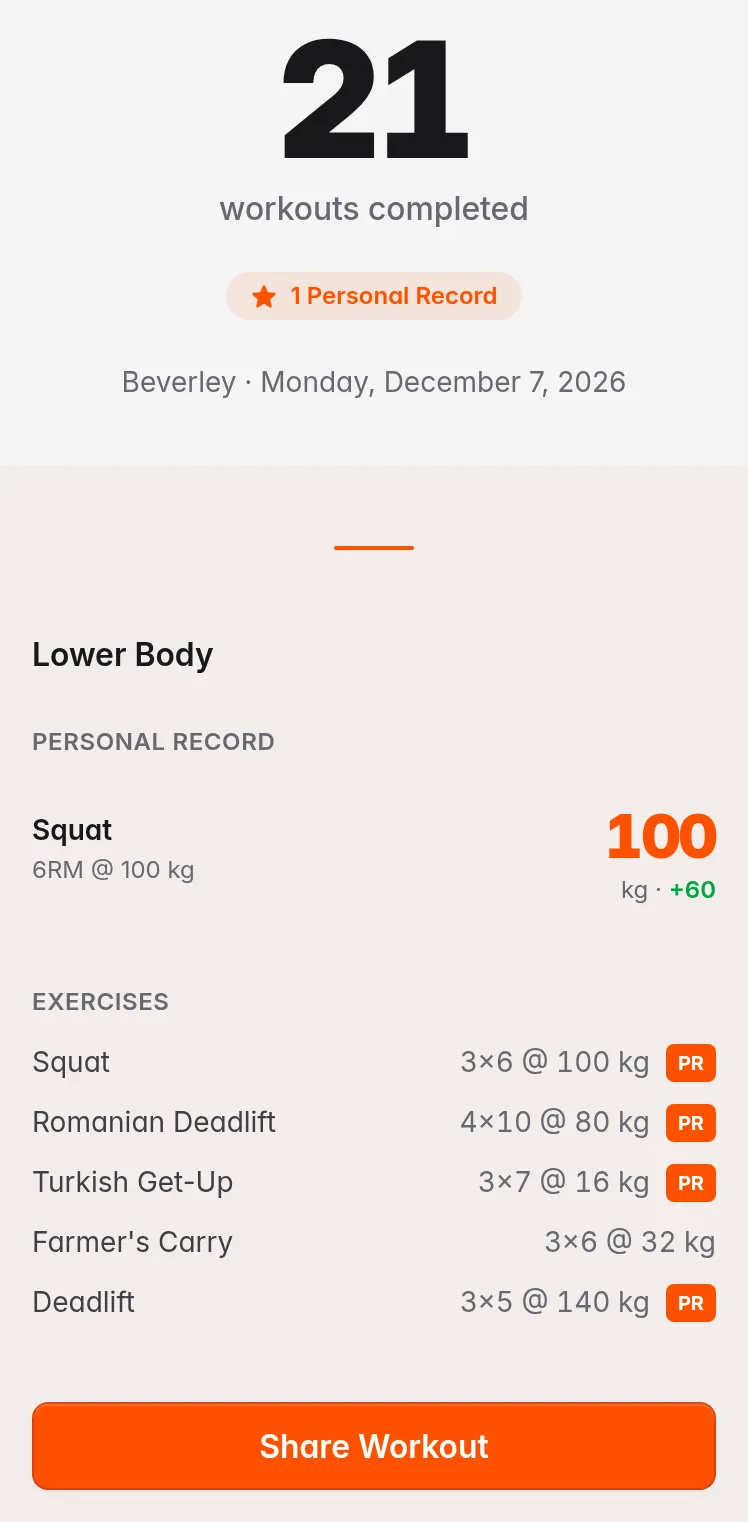
Share the summary
- On the summary, tap Share Workout.
- Choose a design with the arrows under the card, or swipe the card left or right.
- Choose a shape with the story, post or square button.
- Tap Share.
Your phone’s share sheet opens with the card as an image. Choose where to send it. If your browser cannot share files, CoachSync downloads the image instead.
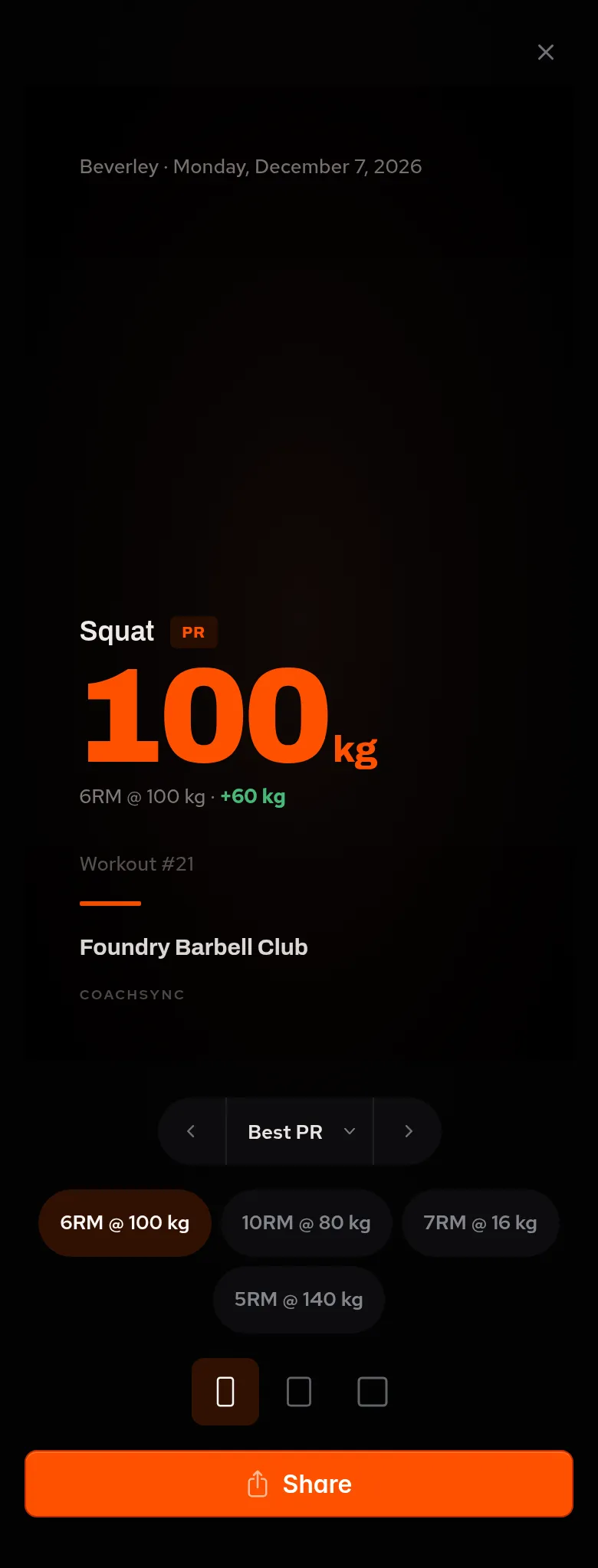
Designs you can choose
Every card shows your first name, the workout date and your coach’s business name. CoachSync offers the designs that fit the workout:
- Day. The workout and its exercises. Every workout has it.
- Milestone. Your number of finished workouts, when the workout reaches a milestone.
- Best PR. One PR from the workout. If you set more than one, tap the PR you want under the card.
- All PRs. Every PR from the workout, when you set more than one.
- Lift. One exercise you made in the workout. If you made more than one, tap the exercise you want under the card.
- Streak. The number of weeks in a row, up to this one, in which you finished a workout.
- Time. How long you have been a client in CoachSync, from 3 months on. If there is more than one length, tap the one you want under the card.
To close the share page, tap the X at the top right.
Get help
If something on this page does not match what you see, contact support.