Manage your exercise library
Add, edit and delete the exercises you program, with a YouTube demo for each.
Your exercise library is the list of exercises you pick from when you write a workout. Every coach in your CoachSync account shares one library.
Open the library
Open the CoachSync menu at the top of the page and select Exercises. Owners, admins and coaches can open it. Clients cannot.
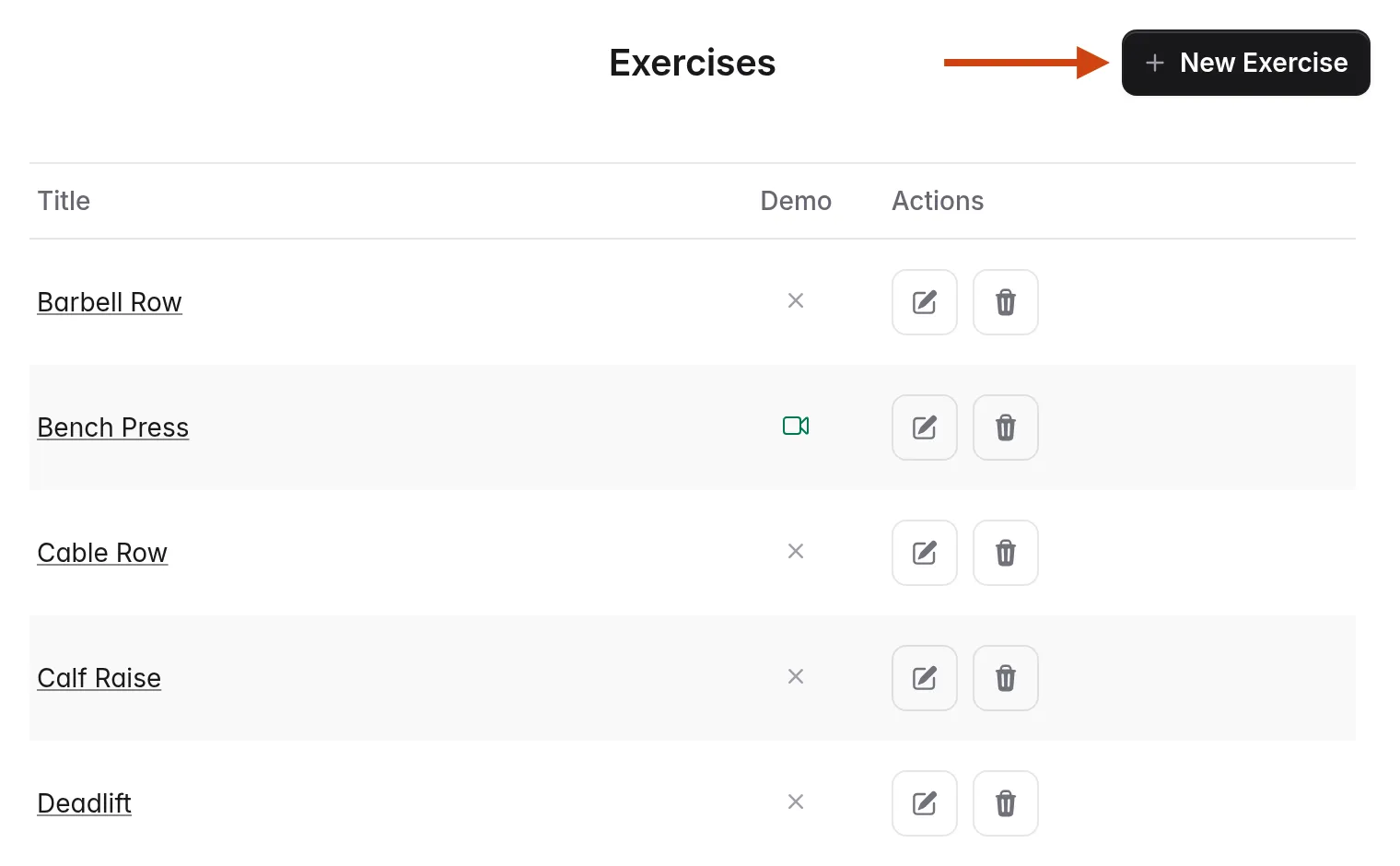
The Exercises page lists every exercise by title. The Demo column shows a camera for an exercise with a demo video.
Add an exercise
- Select New Exercise.
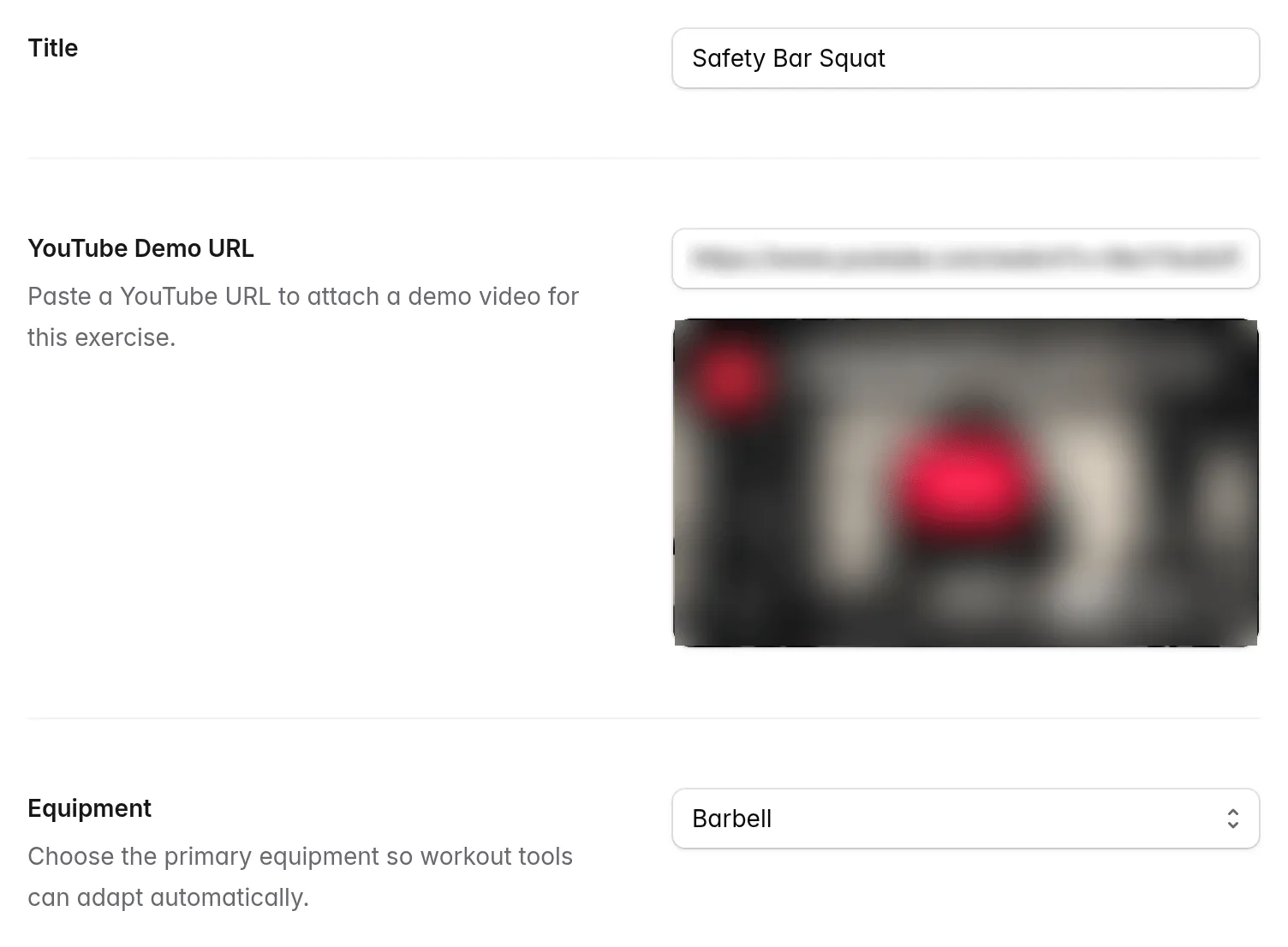
- Type the Title, for example “Front Squat”.
- To attach a demo video, paste a YouTube link into YouTube Demo URL. CoachSync accepts youtube.com, youtu.be, Shorts and embed links, and shows a preview of the video.
- Under Equipment, choose the main equipment, or leave it empty.
- Select Save changes.
CoachSync returns to the library and shows “Exercise was successfully created.”
What clients see
- Demo video. While logging a workout, the client opens the exercise’s menu and selects Demo video to watch it.
- Plate calculator. When the equipment is Barbell, the same menu has a Plate calculator. The other equipment choices do not change what the client sees.
Add the starter exercises
When your library is empty, the Exercises page offers five starter exercises. They are Squat, Deadlift, Bench Press, Press and Power Clean. Select one to add it, or select Add all.
Edit an exercise
- On the exercise’s row, select the pencil button.
- Change the title, demo link or equipment.
- Select Save changes.
A new title shows in every workout that uses the exercise, past workouts included.
Delete an exercise
- On the exercise’s row, select the trash can button.
- CoachSync asks you to confirm. Select Delete exercise.
CoachSync cannot delete an exercise that any workout uses, past or upcoming.
Exercises from an import
When you import workouts from a spreadsheet, each exercise name you do not match to an existing exercise becomes a new exercise in your library.
Get help
If something on this page does not match what you see, contact support.