Set up your account
Accept your coach's invitation, set your password and open your training log for the first time.
Your coach adds you to CoachSync and sends you an invitation by email. You set a password from that email, then sign in to see the workouts your coach writes for you.
Accept the invitation
The invitation comes from CoachSync with the subject “You’ve been invited to CoachSync”. It names the person who invited you and their business.
- Open the invitation email on your phone.
- Tap Set your password.
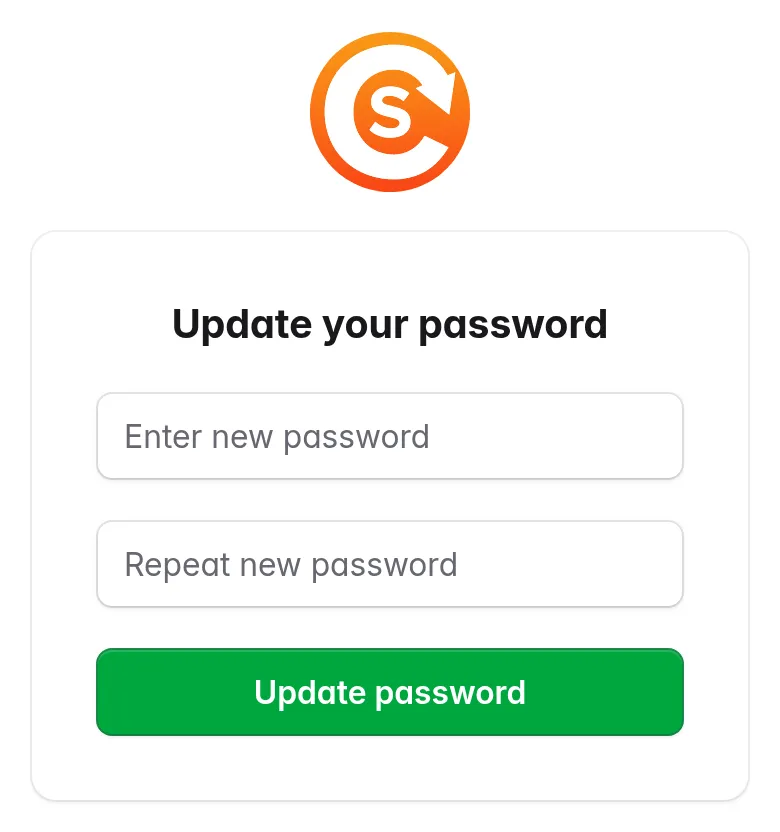
- Enter a password of at least 12 characters.
- Enter the same password again.
- Tap Update password. The sign-in page opens with the message Password has been reset.
- Enter your email address and your new password.
- Tap Sign in.
CoachSync opens your Training Log, the list of workouts from your coach.
If the link has expired
An expired link opens Forgot your password? with the message Password reset link is invalid or has expired. You can get in two ways:
- Ask your coach to send the invitation again. The new email has a new link.
- Reset your password from that page. Enter your email address and tap Email me reset instructions. The link in the reset email works for 15 minutes.
For the full reset steps, see Sign in and switch accounts.
Find your way around
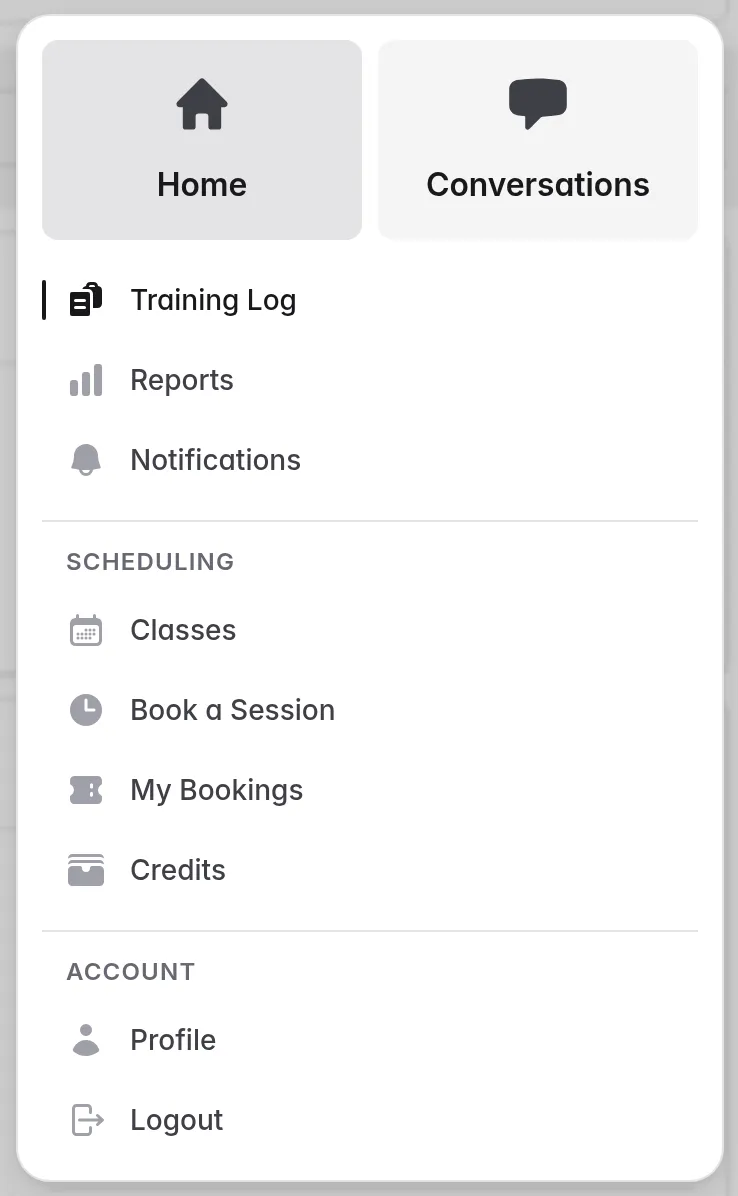
Tap CoachSync at the top of any page to open the menu. As a client, you see these items:
- Home and Training Log both open your workouts. See Log a workout.
- Conversations holds your messages with your coach. See Message your coach.
- Reports shows your best lifts and a progress chart for each exercise you have made. See Read a client’s lift history and reports.
- Notifications lists your coach’s messages and feedback, and updates about your bookings. See Add CoachSync to your phone.
- Profile holds your name, email address and photo. See Edit your profile.
- Logout signs you out.
If your gym takes bookings in CoachSync, the menu also has a Scheduling section. It has My Bookings and, depending on what your gym offers, Classes, Book a Session and Credits. See Book a class as a member. If you pay for a membership, My subscription opens your billing. See Members manage their billing.
Get help
If something on this page does not match what you see, contact support.